
Looking for a free printable password book to help keep your online account information organized? This alphabetical password organizer is available as a PDF or editable Word document, so you can choose the format that works best for you.
I originally created this organizer after finding myself sorting through pages of scattered login information every time I needed to find an account. I wanted something simple, alphabetized, and easy to reference, with room for website names, usernames, and other account details.
The result is this free printable password organizer, designed like a traditional address book!
What’s Included in the Printable Password Organizer?
This organizer is arranged alphabetically, making it easy to find the website or account you’re looking for without searching through a long list.
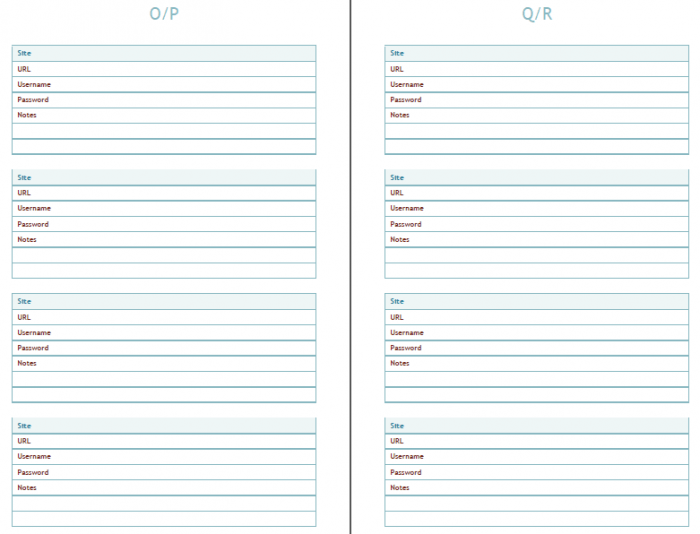
Each entry includes space for recording useful account information, including:
- Website or account name
- Username or email address
- Password information
- PINs and security questions
- Customer service contact information
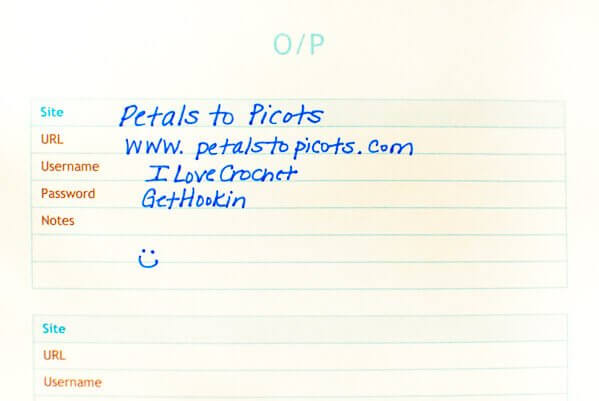
A quick note about password security: A reputable password manager is generally a more secure option for storing passwords and other sensitive login information. If you prefer a paper organizer, keep it in a secure, private location, and consider recording password hints rather than actual passwords. Avoid storing security-question answers, PINs, or recovery codes in an unsecured document.
Printable PDF or Editable Word Format
I’ve included two free download options so you can use the organizer in whichever way works best for you.
The PDF version is great for printing and keeping in a binder or booklet. The Word version can be customized on your computer before printing.
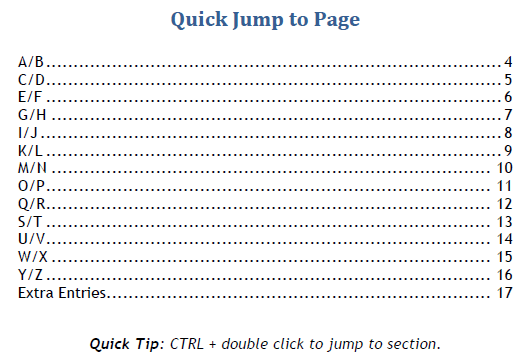
The organizer also includes an alphabetical table of contents to help you quickly find the section you need.
Download Your Free Printable Password Book
Choose your preferred format below:
Download Password Organizer – PDF
Download Password Organizer – Word
Both versions are free to download for personal use.
For security, avoid saving completed copies containing actual passwords in unencrypted files or shared cloud folders.
I hope this simple organizer helps you keep track of your online accounts and important information!
Explore More Free Printables & Creative Ideas
Looking for more ways to get organized or get creative? Visit my Create category for more free printables, handmade projects, and creative inspiration.
Enjoy!


Nice idea, but this is the worst way to save these important informations.
Thank you for sharing!
Kara –
This is such a useful resource! Thank you for sharing! One question – is there a way to change it so that it prints one page on an 81/2 by 11? I would like to keep mine in a 3 ring binder.
Thanks!
Jennifer
This is great! Thanks for sharing!
Just found this now. I can’t tell you how much I appreciate this. I have passwords scribbled all over the place. Oh to have them all in one place!! Thank you.
Alison
Dublin, Ireland
We featured you on the Project Stash!
Yay!! Thanks so much, Marilyn!
Fantastic, you little organizational freak! I love your site and everything about it, but the way it’s organized is so user-easy. Thanks for yet another great tool.
Boo
Thanks, Boo 🙂
Thank you, thank you, THANK YOU!! I keep mine unorganized in an excel folder and just the other day when I went in to make some changes I thought I REALLY need to have an more organized file!! So you’ve done the work for me!!
BLESS YOU!!
I completely understand, Sharon! That is where I was at when I finally buckled down and made this 🙂
I can definitely use this. Right now, I have them all on stickies on my computer and I have to search for them every time. But more than that, I LOVE crochet so I’m so happy I found your site!
I’m happy you found it too, Allison 🙂
Are you serious? Not a good idea at all! Never write your passwords down, guys!
Then how do you suggest people remember passwords to several different sites? It’s way too time consuming to reset them every time and it’s even more unsafe to make all your passwords the same. If you keep it at home, in a safe spot, it should be fine.
I agree 🙂
I know that is was is advised but I honestly can’t remember all the different variations of user names and passwords and secret questions that I have created. This is the only way I manage to keep it all straight 🙂