
Looking for a free printable password book to help keep your online account information organized? This alphabetical password organizer is available as a PDF or editable Word document, so you can choose the format that works best for you.
I originally created this organizer after finding myself sorting through pages of scattered login information every time I needed to find an account. I wanted something simple, alphabetized, and easy to reference, with room for website names, usernames, and other account details.
The result is this free printable password organizer, designed like a traditional address book!
What’s Included in the Printable Password Organizer?
This organizer is arranged alphabetically, making it easy to find the website or account you’re looking for without searching through a long list.
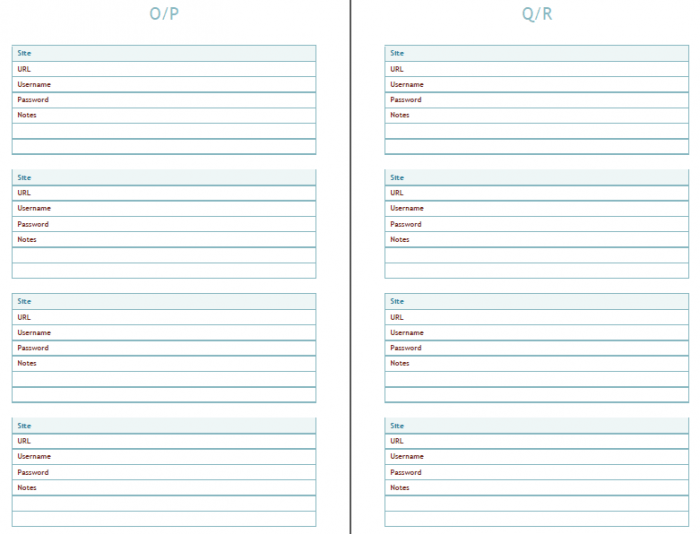
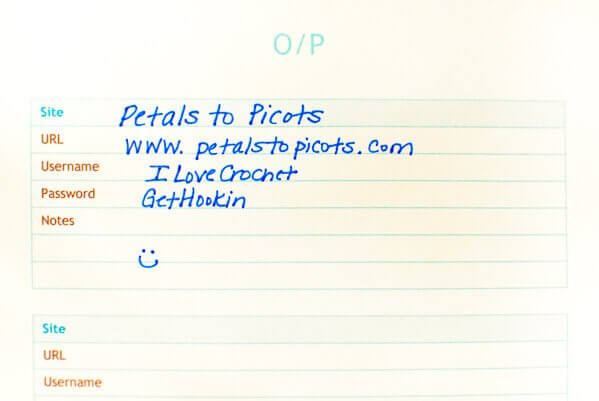
Each entry includes space for recording useful account information, including:
- Website or account name
- Username or email address
- Password information
- PINs and security questions
- Customer service contact information
A quick note about password security: A reputable password manager is generally a more secure option for storing passwords and other sensitive login information. If you prefer a paper organizer, keep it in a secure, private location, and consider recording password hints rather than actual passwords. Avoid storing security-question answers, PINs, or recovery codes in an unsecured document.
Printable PDF or Editable Word Format
I’ve included two free download options so you can use the organizer in whichever way works best for you.
The PDF version is great for printing and keeping in a binder or booklet. The Word version can be customized on your computer before printing.
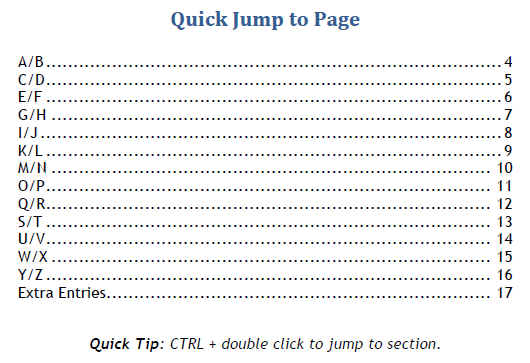
The organizer also includes an alphabetical table of contents to help you quickly find the section you need.
Download Your Free Printable Password Book
Choose your preferred format below:
Download Password Organizer – PDF
Download Password Organizer – Word
Both versions are free to download for personal use.
For security, avoid saving completed copies containing actual passwords in unencrypted files or shared cloud folders.
I hope this simple organizer helps you keep track of your online accounts and important information!
Explore More Free Printables & Creative Ideas
Looking for more ways to get organized or get creative? Visit my Create category for more free printables, handmade projects, and creative inspiration.
Enjoy!


Is there a Mini Binder Version of this?
Thank you
Jessie Lynn Lovell
Love the password book–just what I was looking for AND I do plan to keep it on my computer. I don’t have anything that is that big of a secret. HOWEVER, I need to add a page/pages to some of the alphabetical pages. I know it will mess up the wonderful hyperlinked index, but I think I can fix that. Just not sure how to sandwich in a new page in the middle of my awesome book of passwords!! Thank you so much for this. I know it was a lot of work. ~Blessings, Tish
Hi Tish 🙂 So glad you found it useful! I still use mine and it helps keep me very organized. Since I print mine out I can just print out a page at a time to add to my book. It’s been quite awhile since I put this together so I’m not sure how to do it digitally.
I really love this password book; I’ve been using it for 2 years. I just happened to have a
9 1/4 x 7 1/4 three-ring binder when I found your free printouts. Since my notebook is smaller than normal, it was not an option to make the holes with a 3-hole punch – those are sized for normal sheets. So after I cut the pages to fit using my paper cutter, I then punched holes in one of the pages, put reinforcement labels around the holes and used that as my template to mark the others pages. I wanted to be sure all the holes were in the same place on each page.
Try to use only pencil if you can keep a designated pencil and eraser with the book it might keep you from grabbing a pen when you’re in a rush. I learned that the hard way! haha!
Another thing that might help others: I had trouble trying to print these out using my Firefox browser – it would print over to the left of the page. So I switched back to Safari (Apple’s browser) and it printed out fine.
So, thank you, Petals to Picots, for making and posting this and making it free!
I love your Password Book and have been using it. I even mentioned it in my Blog.